
The “I’m Non-Binary” blog post

Dear friends, Earlier this year I came out to myself as a person with a non-binary gender, and have been embarking on the slow process of sharing this with everyone else since then. Some of you may know already; more will not. This blog post will hopefully serve as the quick what’s-what about my gender. What the hell even is it? A non-binary person is a person who is neither male nor female. It’s normally considered a type of trans (or transgender) because most non-binary people were assigned the gender male or female at birth, having to undergo a transition (which this blog post is part of for me). There are many kinds of non-binary gender and people are still trying to find the best vocabulary for describing our experiences. I’ve taken to...
How to sew a folding shopping bag
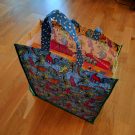
Recently I’ve got very into sewing, as anyone close to me will know! I have an amazing folding shopping bag from Sainsbury’s (a Refoldabag) that is very worn out and unfortunately no longer available, so I took it upon myself to make a copy myself. And when it proved popular on Instagram, I thought I’d make it again – this time with a photo tutorial so you can make one yourself. Here’s what the finished bag looks like open (just the right size for a couple of board games) and folded up: You will need A bundle of “fat quarters” in five different fabrics – I like these bundles of six from Hobbycraft 1m of medium-weight fusible interfacing 3m of 0.5inch (12mm) bias binding tape in a contrasting colour A 2cm button that...
Don’t let Jeremy Corbyn become the next Rosa Luxemburg
As I write this, Jeremy Corbyn’s leadership of the Labour party is under attack from the party’s MPs, while a huge proportion of the party’s membership continue to support him. My personal views aside,1 I’m starting to become concerned by elements – I’m seeing mostly younger people but there maybe other ages too – within the Labour party who are using violent language and cult-of-personality tactics to attempt to drown out reasoned debate on the subject. I was moved to write this post after I saw a post on Facebook from a former Green Party colleague who switched to Labour in the Corbyn era: a very rational, reasoned argument for why he cannot support Corbyn any more and is supporting one of his opponents in the coming leadership...
EU: I’m voting to Remain, but not for those reasons
In case it escaped your notice, there’s a referendum on the UK’s continued membership of the European Union on 23rd June. The biggest campaigns on either side are Stronger In and Leave.EU.1 I’d like to tell you why I don’t support either of these campaigns and why I’m voting to Remain. It’s true that the EU is a mess. The multiple interlocking levels of government are confusing even to the people who work there. Many of the power and decision-making is made by unelected or indirectly elected bodies. And there’s a huge transparency crisis where secret negotiation of treaties like TTIP threatens public services in every member state without accountability to their populations. Awful. Here’s the thing about the Leave...
Ticket barriers: an unnecessary bane
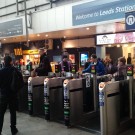
Recently, Leeds station opened a new entrance on the south side, to great fanfare. I live on the north side of the station and lots of my favourite places to go out are on the south side. Wouldn’t it be nice, I thought while it was being built, to be able to walk through the station instead of around it? Well, sadly, that’s not possible thanks to Leeds being a so-called “gated” station, with ticket barriers at both entrances and no right of way between them. (And as if to rub salt in, they’re shortly closing the staircase that leads to the south side from the north entrance.) Isn’t Leeds station public land? It’s certainly owned by the taxpayer. Why is it that I can’t walk across a huge public building to get from...
Health anxiety, me and the NHS

Those of you who have been keeping track probably know that 2 years ago I self-referred myself for therapy to deal with a moderate case of anxiety that began around 2006 and has stayed with me since, although I can handle it much better with the techniques I learnt. Without the therapy I would not have a clue what was actually wrong with me and what the triggers of anxiety were. It turns out I have a phobia (in the medical sense of the word) of not being in control. I’m a medically diagnosed control freak! I wouldn’t swap my not-being-in-control-phobia1 for anything — it makes me who I am. My skills as a manager and software architect derive in part from it. My obsession with maps, public transport and strange details that other people miss. My...
The dangers of “curbing extremism”
I’ve come out of blog hiding for this because I think it’s really important. And I’ll try to keep it short. These are words spoken by David Cameron this morning about the Tories’ proposed new measures for “curbing extremism”: “The problem that we have had is this distinction of saying we will only go after you if you are an extremist that directly supports violence. “It has left the field open for extremists who know how not to step over the line. But these are people who have radicalised young minds and led to people heading off to Syria or Iraq to take part in this ghastly slaughter.” The reason we’ve had this distinction is quite simple: one is an incitement to violence, the other is political...
 Leeds-based non-binary nerd and sewist. I won't break my streak on Duolingo for anyone.
  Delicious
 Flickr
 Goodreads
 Last.fm
 Leeds Beer Quest
 LinkedIn
 Twitter
 Untappd